
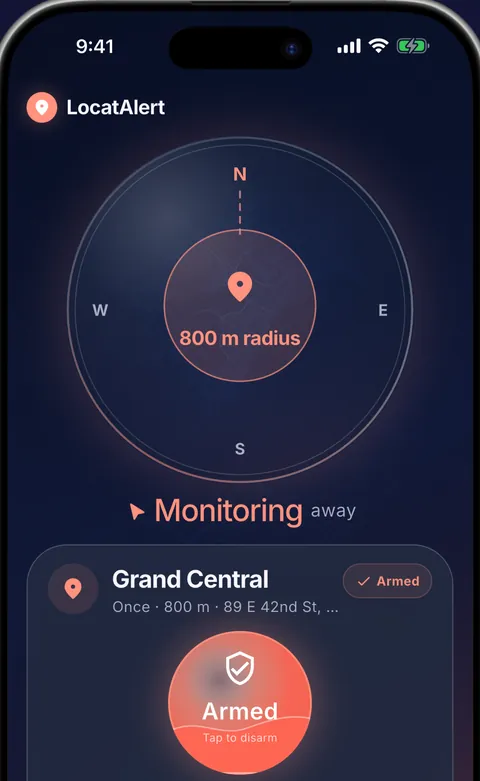
Why a clock alarm is unreliable on public transport
Travel time changes. Traffic, delays, route changes and faster-than-usual service can make a clock alarm early or late. A destination alarm follows where the journey actually is.

Made for buses, trains, metros and coaches
- Search for your station, stop or a nearby landmark.
- Choose a wider warning radius for fast trains or unfamiliar stations.
- Select and preview the sound before arming the alarm.
- Use repeating schedules for regular commutes.
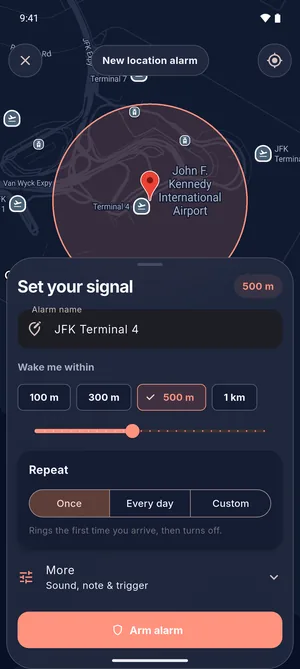 Your stop, your radiusPick the station, then 100 m to 1 km, or drag up to 5 km.
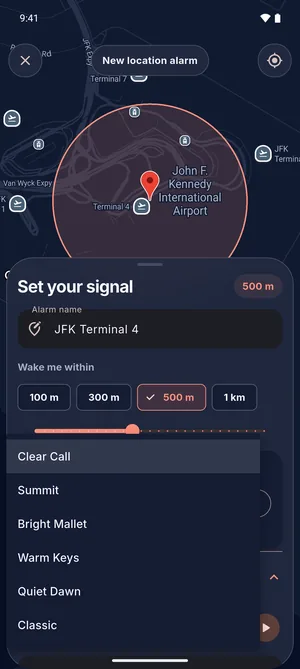 Hear it firstPreview each sound before you arm the alarm.
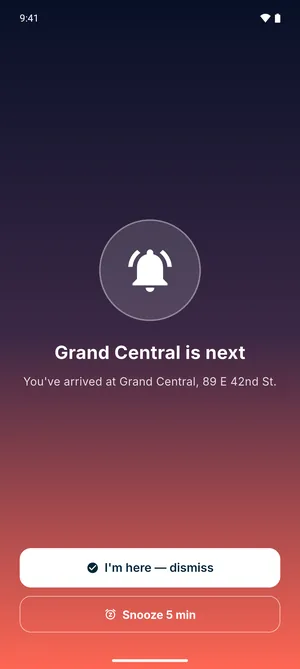 Wake up for the stopA full-screen alarm with sound, over the lock screen.
Will it ring when the app is closed?
With location, notification and alarm permissions enabled, LocatAlert can show a full-screen alarm with sound when the app is closed or your Android phone is locked. The app guides you through battery settings that can otherwise stop background alarms. See GPS alarm setup and permissions for each setting and a quick walking test.
Give yourself enough warning
Choose the radius for your route. The warning you get is the radius divided by your speed, so a radius that is plenty on a city bus is only seconds on a fast train.
- City bus, 30 km/h
- 1 km: 2 min
- 3 km: 6 min
- Coach or regional train, 80 km/h
- 1 km: 45 s
- 3 km: 2 min 15 s
- Fast train, 160 km/h
- 1 km: 23 s
- 3 km: 1 min 8 s
| Radius | City bus, 30 km/h | Coach or regional train, 80 km/h | Fast train, 160 km/h |
|---|---|---|---|
| 300 m | 36 s | 14 s | 7 s |
| 1 km | 2 min | 45 s | 23 s |
| 3 km | 6 min | 2 min 15 s | 1 min 8 s |
| 5 km | 10 min | 3 min 45 s | 1 min 53 s |
Trains and coaches usually slow down before a stop, so you often get more warning than the table shows. GPS timing also depends on signal and device settings, so leave a buffer: on a fast train, set 3 km or more.
Bus stop alarm questions
Will the bus stop alarm ring with my phone locked?
Yes. With location, notification and alarm permissions enabled, LocatAlert opens a full-screen alarm with sound over your Android lock screen, even when the app is closed. Test it once on a short walk before your first trip.
Does it need mobile data or Wi-Fi?
You need a connection to find your stop on the map or in search. On the ride, the alarm works from your phone's location, so keep location on. Leave mobile data on if you can: without it, Android can take much longer to work out where you are, and the alarm can only ring once it knows.
Does it work underground or in a tunnel?
GPS doesn't reach underground, so on a metro line or in a long tunnel your phone may not know where it is until it gets a position again, sometimes only at the station itself. For an underground stop, set the alarm on the station before yours, so a late position still leaves you time to get off.
How early will it ring?
As early as your radius allows. The warning is the radius divided by your speed: 1 km gives about 2 minutes on a city bus at 30 km/h, but only 23 seconds on a train at 160 km/h. On a fast train, set 3 km or more.
Will it drain my battery?
It is built not to. Far from your stop it checks your position rarely, with low-power location. Precise GPS turns on only for the last stretch before your stop, and when the phone isn't moving it checks no more than once a minute, with low-power location.
Is it free?
Two alarms are free, and you can start as a guest without an account. Plus adds unlimited alarms, arrive, leave or both triggers, the days you pick and every alarm sound. Prices are shown in the app for your region.
Start without an account
You can arm two location alarms as a guest and try the core experience for free. An account is only needed for syncing and friend coordination.
Get LocatAlert free