
Why a timetable makes a poor alarm
A clock alarm set from the timetable can be wrong in both directions. After a 20-minute delay it wakes you far from home. On a train running ahead of time, you can reach your station before it goes off.
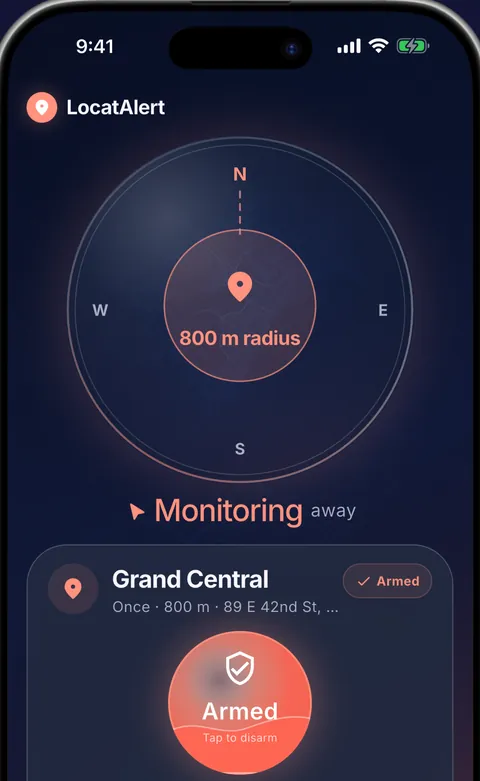
A train stop alarm uses your phone's location instead. It rings when the train enters the zone around your station, however late or early the train is.

How far out to set it
Your warning is the radius divided by the train's speed. A radius that gives a bus rider two minutes gives a fast train only seconds, so rail needs a wider zone.
| Radius | 80 km/h | 120 km/h | 160 km/h | 200 km/h |
|---|---|---|---|---|
| 1 km | 45 s | 30 s | 23 s | 18 s |
| 2 km | 1 min 30 s | 1 min | 45 s | 36 s |
| 3 km | 2 min 15 s | 1 min 30 s | 1 min 8 s | 54 s |
| 5 km | 3 min 45 s | 2 min 30 s | 1 min 53 s | 1 min 30 s |
Trains usually slow down before a station, so you often get more warning than the table shows. Still, set 3 km or more on a fast line, and 5 km if you sleep deeply. On a stopping service, check the distance to the station before yours: if it sits inside your zone, the alarm rings there.
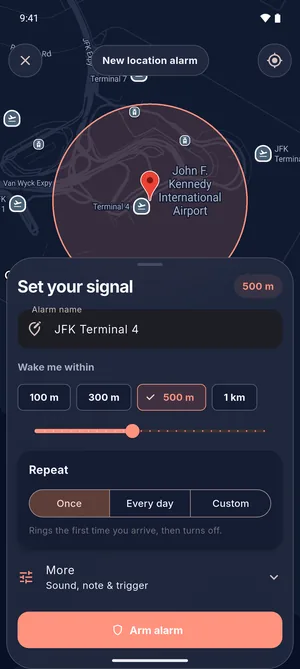 Pick the stationChoose 100 m to 1 km, or drag the slider up to 5 km.
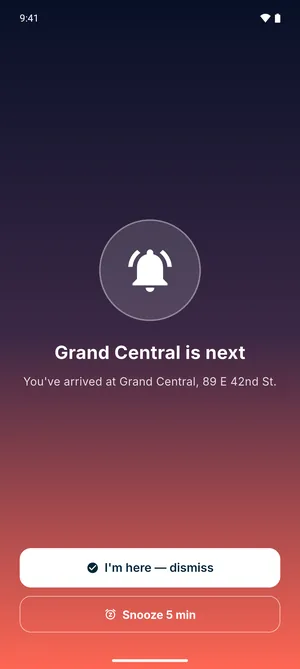 Wake up for itA full-screen alarm with sound, over the lock screen.
GPS on a train
A train carriage is mostly metal, so radio signals, GPS included, come in mainly through the windows. Some train glass blocks much of that too: in one 2020 test, high-speed train window glass cut the number of satellites a receiver could track by 65%.
A window seat helps, and so does keeping mobile data on, which lets the phone work out its position much faster. If the signal drops for a while, the alarm can only ring once the phone has a position again, which is another reason to give yourself a wide zone.
Tunnels and underground stations
GPS doesn't reach underground. If your station is in a tunnel or below ground, the phone may not get a position again until the platform, or after it. Put the zone on the station before yours, or on the last stretch where the line is still above ground.
Long and overnight journeys
On a long journey, most of the trip runs on low-power checks. Far from your station, LocatAlert takes a low-power position check every few minutes. The checks come closer together as you approach, and precise GPS turns on only for the last stretch. When the alarm goes off, it vibrates and fades up to 80% volume within five seconds, so a phone left on low volume still wakes you. On an overnight train, plug the phone in if there's a socket.
Before you sleep
- Allow location all the time, notifications and alarms when the app asks, and let LocatAlert ignore battery optimization.
- Test it once on a short walk. The GPS alarm setup guide shows how.
- Arm the alarm before the train leaves. The alarm card shows the distance left to your station.
- Taking a bus or tram for the last leg? The bus stop alarm guide covers shorter radii for city stops.
Train stop alarm questions
Does it work on any train?
It works wherever your phone can get a position: intercity, regional, commuter and overnight trains. It doesn't use the rail operator's app or timetable, so a delay doesn't change where it rings.
Can I use it for my daily train?
Yes. A free alarm can ring once or every day. Plus lets you pick the days, such as Monday to Friday.
Does it need mobile data on the train?
Only to find your station on the map or in search. Keep data on for the journey if you can: without it, Android can take much longer to work out where you are, and the alarm can only ring once it knows.
Start free
Arm two alarms as a guest, with no account needed.
Get LocatAlert free